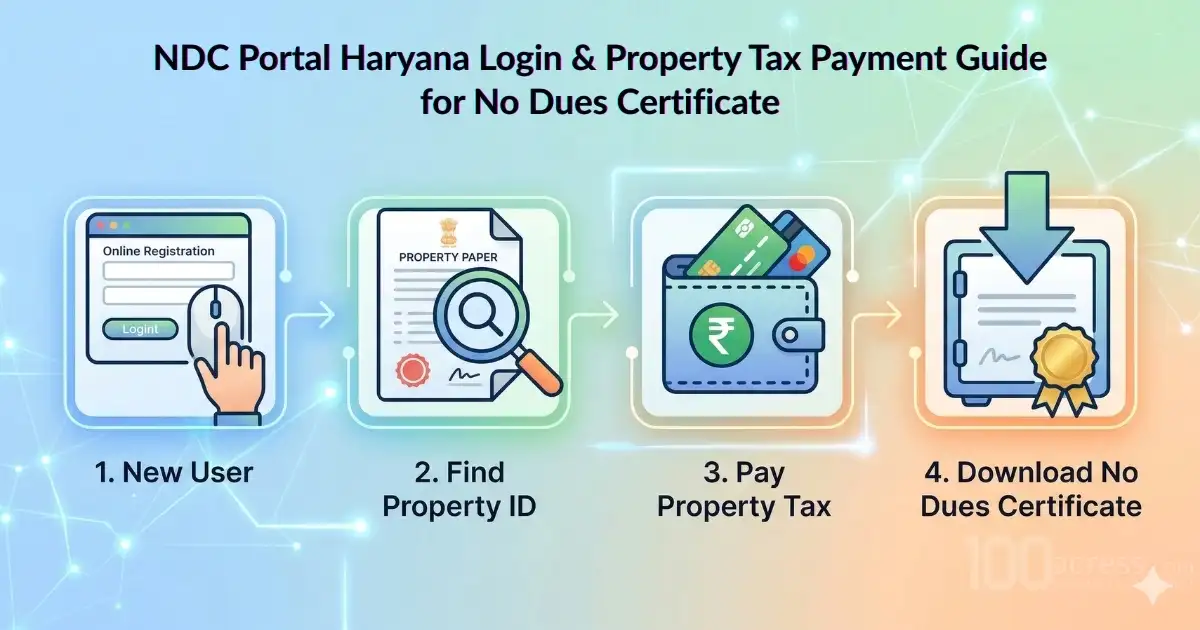
If you own property in Haryana, the NDC Portal Haryana is the one digital platform you cannot afford to overlook. Whether you need to pay your annual property tax, verify your property ID, check application status, or download an official No Dues Certificate (NDC) before a sale or mutation everything is accessible through this centralised Urban Local Bodies (ULB) portal. This guide walks you through every step, and fills in the critical gaps that most other resources miss: troubleshooting, deadlines, penalties, objection processes, and mobile access.
What is the NDC Portal Haryana?
The NDC Portal Haryana is a state-level digital governance platform operated by the Urban Local Bodies (ULB) Department of the Government of Haryana. The acronym 'NDC' stands for No Dues Certificate, a legally important document confirming that a property has zero outstanding tax liabilities.
Beyond issuing No Dues Certificates, the portal functions as a comprehensive municipal services hub. It consolidates property records, tax collection, scheme monitoring, and civic service delivery under a single digital interface, replacing the need for repeated visits to municipal offices.
Key Services Available on the ULB Haryana NDC Portal
- Online property tax payment with instant digital receipts
- No Dues Certificate (NDC) download for property transfer or legal use
- Property ID (PID) search and verification
- NDC Portal status tracking for pending applications
- Objection filing for incorrect property records
- User account registration and management
- Real-time monitoring of urban scheme implementation by ULBs
- Quick Fact: The Portal is governed under Haryana's Urban Local Bodies framework and aligns with national Digital India initiatives, ensuring data integrity and secure transactions.
How to Register on the NDC Portal Haryana (New User)
- Visit the Official NDC Portal - Navigate to the official NDC Haryana portal managed by the Urban Local Bodies department. Ensure you are on the verified government domain to avoid phishing sites.
- Click 'New User Registration' - On the login page, locate and click the 'New User Registration' or 'Register Here' link to open the registration form.
- Fill in Your Basic Details - Enter: Full name of the property owner, active mobile number, email address, and select your ULB / city from the dropdown list
- Fill in Your Basic Details - Enter: Full name of the property owner, active mobile number, email address, and select your ULB / city from the dropdown list
- Set Your Login Credentials - Create a secure username and password. Store these safely, they will be used for all future National data collection Portal Haryana login sessions.
- Account Activation - Once OTP verification is complete, your account is activated immediately. You can now log in and access all property services.
Troubleshooting - OTP Not Received?
If you do not receive the OTP within 2 minutes: (1) Check for SMS blocking filters on your phone. (2) Click 'Resend OTP' on the portal. (3) If the issue persists, contact the Haryana ULB Helpdesk via the 'Contact Us' section on the portal, or call the Urban Local Bodies helpline. Provide your registered mobile number and ULB name for faster resolution.
NDC Portal Haryana Login: Step-by-Step
Returning users can log into the NDC Portal login page using the credentials set during registration.
- Go to the official NDC Haryana portal homepage.
- Enter your registered User ID (username) and Password.
- Complete the CAPTCHA verification if prompted.
- Click 'Login'. In some configurations, an OTP-based second-factor authentication step may follow.
- Upon successful login, your property dashboard will display linked properties, tax status, and available services.
Access Levels: The NDC Haryana login system supports multiple user roles. Property owners access citizen-facing services. ULB officials and state department employees have elevated access tiers for data entry, reporting, and scheme monitoring. Credentials for official access are issued by the respective department or state authority.
How to Find Your Property ID (PID) on NDC Portal Haryana
Every registered property in Haryana's urban areas is assigned a unique Property Identification Number (PID) by the relevant Urban Local Body. This number is mandatory for paying property tax online and for downloading the No Dues Certificate. For many residents in specialized communities like Senior Living in Gurgaon, finding the unique Property ID (PID) is the first step toward verifying that their home is legally recorded and free from any municipal tax liabilities.
Steps to Locate Your PID
- Log in to the NDC Portal using your registered credentials.
- Navigate to 'Search Property' or 'Property Details' from the main dashboard.
- Search using any one of the following identifiers: Owner Name, Registered Mobile Number, House Number / Property Address, Colony or Locality Name, ULB / City Name.
- The system will return matching property records.
- Select your property to view the full PID, tax history, and ownership details.
What is PID Used For?
Your Property ID (PID) is required for: paying property tax on the NDC Portal Haryana, downloading the No Dues Certificate, updating ownership records (mutation), and for any legal documentation involving your ULB-registered property.
What if Property Details Are Incorrect? Filing an Objection
This is a critical gap most guides overlook. If your property details displayed on the portal — such as property type, area, owner name, or colony are incorrect, you can raise a formal Objection through the portal itself.
- Log in to the NDC Portal Haryana and locate your property using your PID.
- Navigate to the 'Objection' or 'Dispute / Correction Request' section (the exact label may vary by ULB).
- Select the field(s) that are incorrect and provide supporting documentation (e.g., sale deed, Aadhaar, registry documents).
- Submit the objection. An acknowledgement number will be generated.
- Track your objection status using this acknowledgement number under the 'Application Status' section.
- A ULB officer will review the submission and update the records after verification, typically within 7–15 working days.
How to Pay Property Tax Online on NDC Portal Haryana
The ULB Haryana NDC portal enables fully digital property tax payments, eliminating the need to visit municipal offices. Here is the complete process for property tax payment online.
- Log In to the Portal: Use your registered credentials at the NDC Portal Haryana login page.
- Enter Your Property ID (PID): Input your PID in the property search field to pull up your tax records.
- Verify Property & Tax Information: The system displays: property type and classification, annual tax amount due, any outstanding
- Select Assessment Year: Choose the relevant assessment year. You may also pay multiple years' dues in a single transaction if arrears exist.
- Proceed to Payment: Click 'Pay Now' and choose your preferred payment method: Debit / Credit Card, Net Banking, or UPI.
- Download Payment Receipt: After a successful transaction, a digital payment receipt is generated instantly and saved to your NDC account for future reference.
Property Tax Deadlines & Late Fee Penalties
This is one of the most frequently overlooked aspects. Missing the annual property tax deadline results in financial penalties.
- The standard property tax assessment year in Haryana runs from April 1 to March 31.
- Tax payments are generally due within the first quarter of the assessment year (by June 30) to avail any applicable rebate.
- A late fee or penalty surcharge is levied on overdue payments. This is typically calculated as a percentage per month or annum on the outstanding amount, as stipulated by the respective ULB.
- Outstanding dues attract compounding interest, which increases the total liability over time.
- Always verify the exact deadline and penalty rate applicable to your ULB, as these can vary between municipal corporations, councils, and committees in Haryana.
Important - Payment Failure?
If your payment is debited from your bank/UPI but the portal does not reflect it as successful: (1) Wait 24–48 hours most failed transactions are auto-reconciled and refunded. (2) Do not attempt a second payment immediately. (3) Check your bank statement. (4) If the amount is not refunded within 5–7 working days, contact the ULB Helpdesk with your transaction ID, date, amount, and PID. Refunds are typically processed within 10 working days.
How to Download the No Dues Certificate (NDC)
A No Dues Certificate (NDC) is an official government document confirming that a property carries no pending tax liabilities with the Urban Local Body. It is a mandatory requirement for property sale and registration, mutation of ownership, home loan applications, and legal or court proceedings involving property.
Pre-Conditions Before Downloading NDC
- All outstanding property taxes must be cleared in full, including arrears from previous years.
- The property must be actively registered under a valid PID on the NDC Portal Haryana.
- Owner details and property information on the portal must be accurate and up-to-date.
Step-by-Step Process to Download NDC
- Log In to NDC Portal Haryana: Access the portal using your registered credentials.
- Navigate to Certificates / Property Services: From the dashboard, select 'Certificates' or 'Property Services' and choose 'No Dues Certificate'.
- Enter Your Property ID (PID): The system verifies your PID against the tax database to confirm zero outstanding dues.
- Download the NDC as PDF: Once verified, the No Dues Certificate is generated and available for immediate PDF download. Store this document securely — it will be required by the Sub-Registrar at the time of property registration.
Documents Typically Required for NDC Application
- Valid Property ID (PID)
- All property tax payment receipts (latest year mandatory)
- Owner's identity proof (Aadhaar card or PAN card)
- Property ownership document (sale deed / registry copy)
- Self-declaration of no pending legal disputes (as applicable)
How to Track Your NDC Application Status on the NDC Portal Haryana
Once you have applied for a No Dues Certificate or raised an objection, you can monitor progress using the NDC Portal Haryana status tracking feature.
- Log in to the portal and navigate to 'Application Status' or 'Track My Request'.
- Enter your Application Reference Number or Acknowledgement Number.
- The system will display current status: Submitted, Under Review, Approved, or Rejected.
- If rejected, the reason will be displayed. You may re-apply after resolving the identified issue.
- For delayed processing beyond the committed timeline, escalate via the ULB Helpdesk or the Haryana Urban Development Authority (HUDA) grievance portal.
Mobile Access: Is There an Official NDC Haryana App?
This is a question many property owners in Haryana ask and it is rarely addressed clearly. Here is the current position:
- As of the latest available information, there is no separate standalone mobile application specifically branded as the 'NDC Portal Haryana' app available on the Google Play Store or Apple App Store.
- The official NDC Portal Haryana website is mobile-responsive, meaning it is accessible through any modern smartphone browser (Chrome, Safari, Firefox) without requiring a separate app download.
- Property owners can perform all key actions login, tax payment, PID search, NDC download, and status tracking directly via the mobile browser.
- Some ULBs in Haryana may direct users to the broader 'Haryana Saral' or 'Jan Seva Kendra' platforms for certain services. Always verify the official URL through the Haryana Urban Local Bodies department website.
Pro Tip for Mobile Users
When using the NDC Portal on a mobile browser, enable 'Desktop Site' mode if the layout appears broken. Ensure your mobile number and email are current in your profile to receive OTPs and notifications without delays.
Conclusion
The NDC Portal has fundamentally simplified how property owners across the state interact with Urban Local Bodies. From the NDC Portal Haryana login and real-time property tax payments to No Dues Certificate downloads and application status tracking, the platform delivers end-to-end digital property administration.
For real estate transactions in Haryana, particularly in high-activity markets like Gurgaon, Faridabad, Panchkula, and Hisar, ensuring your property records on the ULB Haryana NDC portal are accurate and tax-free is a non-negotiable prerequisite. An incorrect PID, a missed tax deadline, or an unresolved objection can delay property registration or legal proceedings significantly. For investors exploring commercial opportunities in Gurgaon, projects such as SPJ Vedatam are gaining attention due to their prime location and modern retail infrastructure.
By following this guide, you are equipped to navigate every aspect of the Portal confidently: registration, login, property ID search, tax payment, NDC download, objection filing, and troubleshooting. Stay compliant, stay ahead.